Adding Custom Role Fields to be Mass Update Filter Criteria
To increase the effectiveness of the Add/Edit Permission on Roles mass update, you can add one or more custom fields to the role record. This kind of field can be used to categorize roles and provide filter criteria for the mass update. The type of custom field that can be added to role records is the Other Custom Field type.
The steps below provide steps for creating this type of field. For further details, see Creating a Custom Field and Creating Other Record Fields.
To create a custom field to be added to the role record:
-
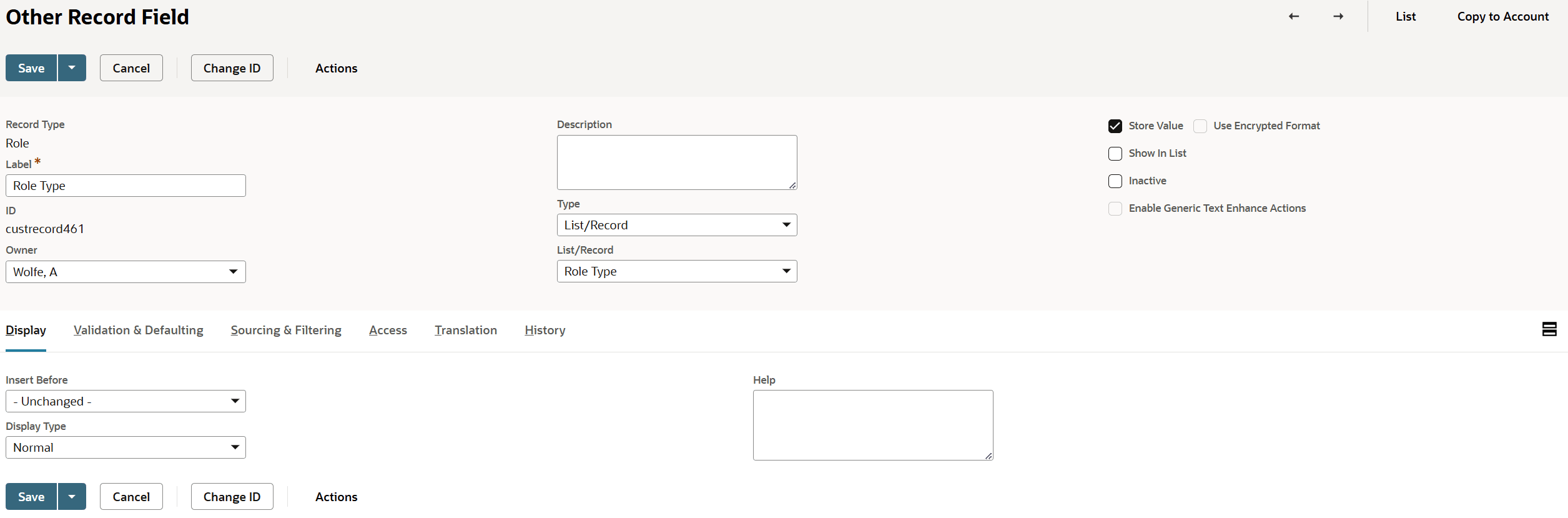
Go to Customization > Lists, Records, & Fields > Other Custom Fields > New.
-
From the Record Type dropdown list, select Role.
-
In the Label field, enter a name for the field.
-
From the Type dropdown list, select the type of field.
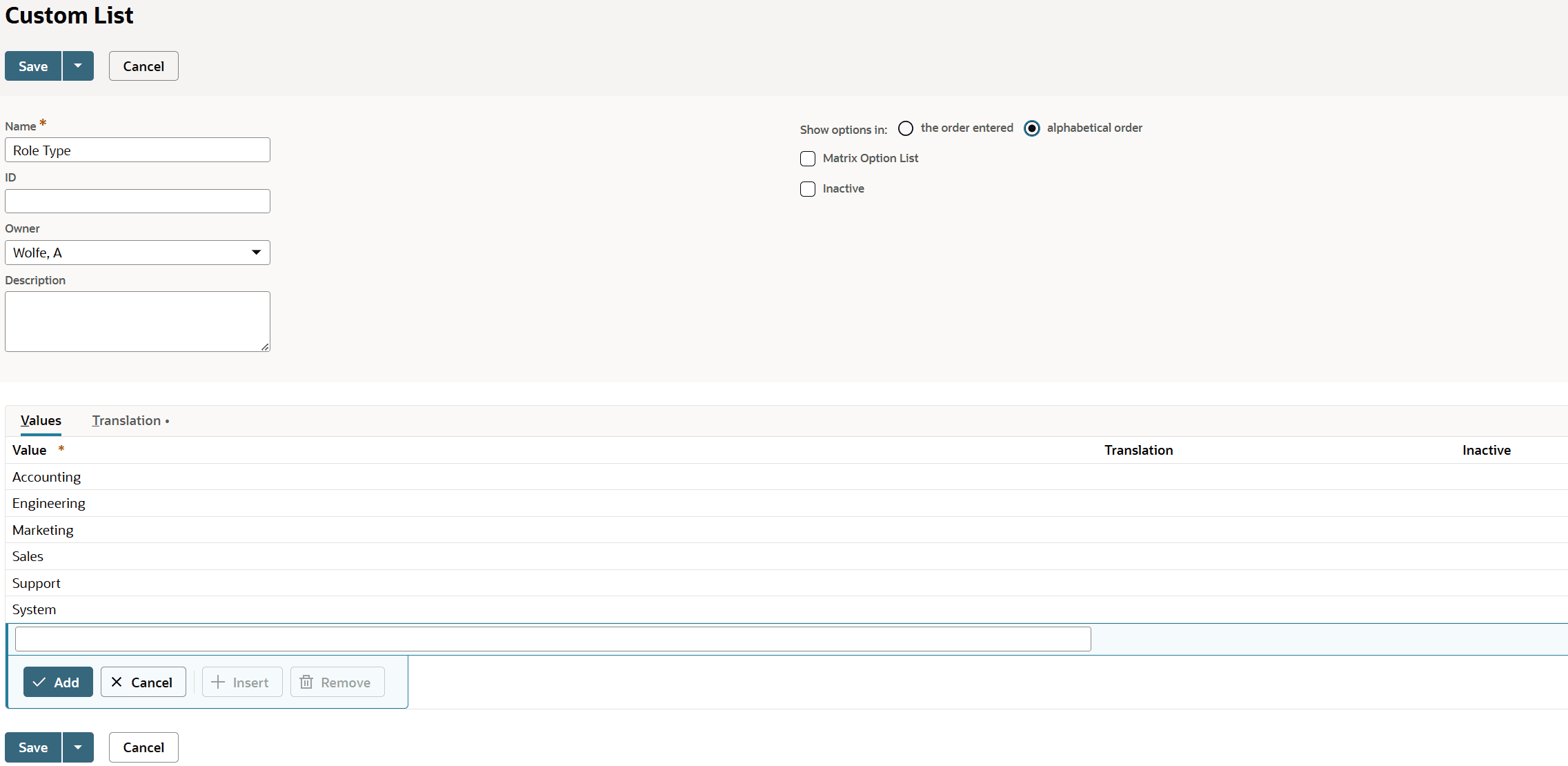
For example, you can choose List/Record if you want the field to be a dropdown list with multiple options. For this choice, you need to select the list or record that supplies dropdown list options. You may need to first create a custom list of these options, then return to creating this custom field. See Custom Lists.
-
To add the field to the role page, select a value in the Insert Before field.
-
Complete other fields as necessary.
-
Click Save.
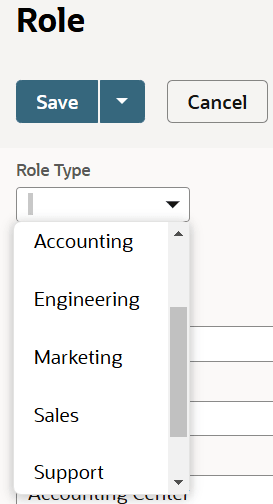
After you have created this custom field, you can set its values on role records as desired, then use it as a filter criteria for the Add/Edit Permission on Roles mass update.
The following screenshots show the record for a sample custom field, its associated custom list, and the field on the role record: