Column
To turn a report into a matrix (or crosstab) report, pick a column dimension other than Total in this field.
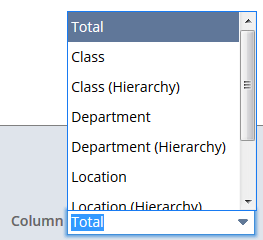
Available column dimensions depend on the report type and features, and can include Class, Department, Location, or time ranges like week, month, or period.
A matrix-style report shows data in separate columns for each dimension, or hierarchically (with child values grouped under parent values in the same columns). To see data hierarchically, pick a (Hierarchy) option.
For more information, see Adding Matrix Columns to Reports.
Important:
For financial statements, you can set up a matrix column to stay each time the report runs by choosing it in the View Columns By dropdown on the Financial Report Builder Edit Columns Page.