Viewing SuiteApps in the SuiteApp Marketplace
You can view all SuiteApps in the SuiteApp Marketplace. To view SuiteApp listings, do one of the following:
-
Go to Suiteapp.com.
-
Go to Customization > SuiteCloud Development > SuiteApp Marketplace.
The list of available SuiteApps appears.
The SuiteApps menu isn't available for the following centers:
-
Advanced Partner Center
-
Customer Center
-
Employee Center
-
Partner Center
-
Support Center
-
Vendor Center
The following is an example of how SuiteApps can be listed in the SuiteApp Marketplace:
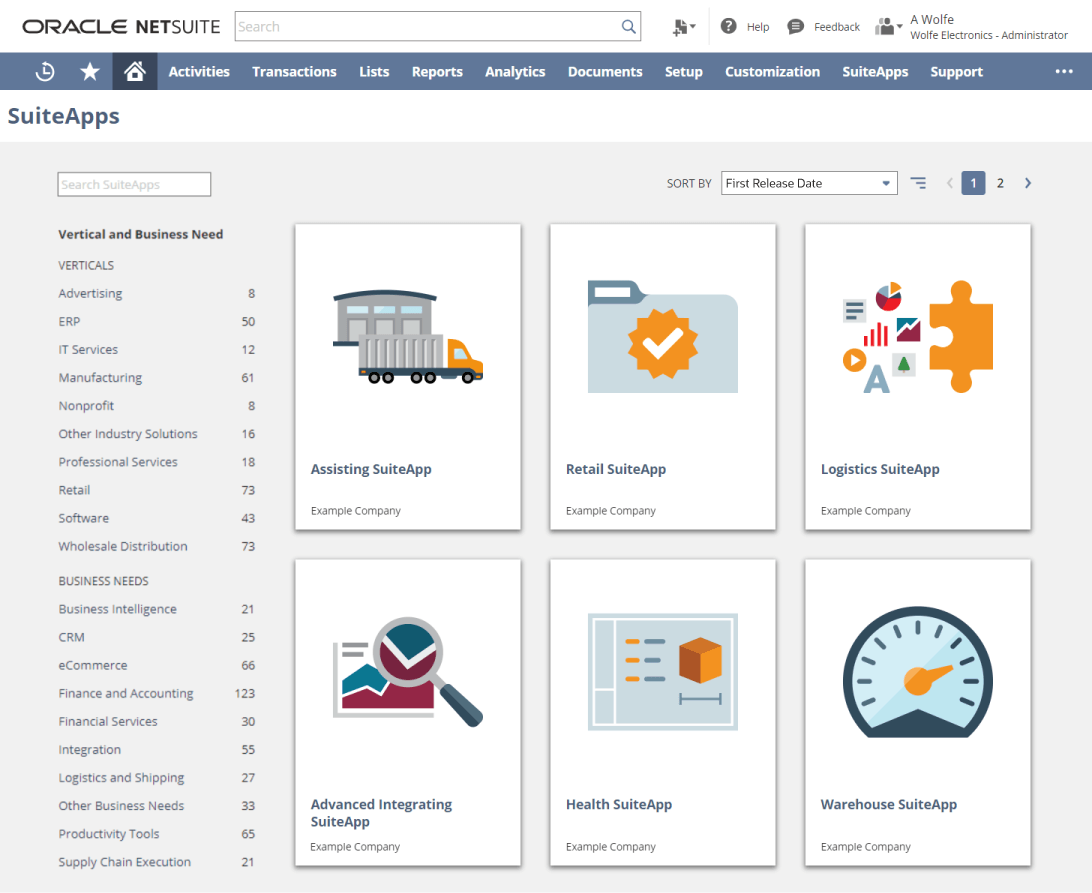
Each SuiteApp is shown as a SuiteApp tile with the following information:
-
SuiteApp Name - name of the SuiteApp, as provided by the publisher or solution provider.
You can search for a SuiteApp by entering its name or publisher in the Search Apps field.
-
Publisher - publisher name that identifies the SuiteApp publisher or solution provider.
-
First Release Date - date when the SuiteApp was first released on the SuiteApp Marketplace.
You can also sort the SuiteApp tiles by SuiteApp Name, Publisher, or First Release Date.
Click a SuiteApp tile to view its details. Here's an example of the SuiteApp details page in the SuiteApp Marketplace:
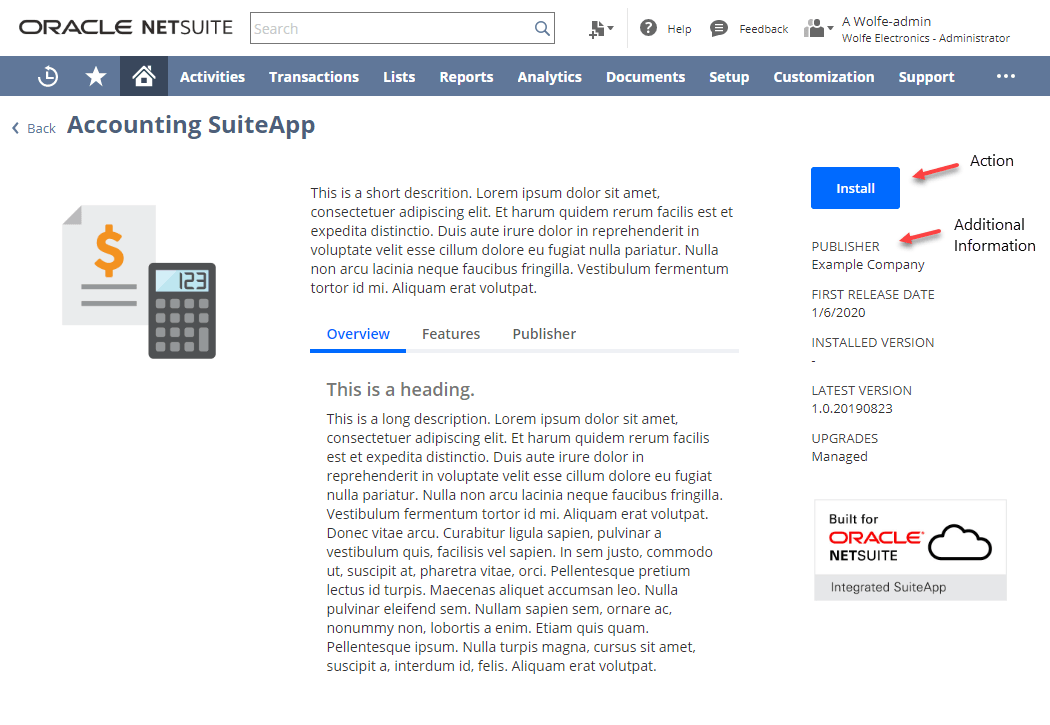
Here's what you'll find on the SuiteApp details page for each SuiteApp:
-
Action - the following actions can be performed for the SuiteApp:
-
Install - install the SuiteApp on your account. For more information, see Installing from the SuiteApp Marketplace.
-
Upgrade - upgrade the SuiteApp version in your account. For more information, see Upgrading from the SuiteApp Marketplace.
-
-
Installation Status - current state of the SuiteApp installation or uninstallation. The installation status first appears on the SuiteApp details page after you click Install. For the list of possible states, see Viewing SuiteApp Installation or Uninstallation Status.
-
Additional Information - the following details are shown for the SuiteApp:
-
Publisher - SuiteApp publisher or solution provider.
-
First Release Date - when the SuiteApp was first released on the SuiteApp Marketplace.
-
Installed Version - version of the SuiteApp that is installed in your account.
-
Latest Version - latest version of the SuiteApp that is available for installation.
-
Upgrades - upgrade type of the SuiteApp, which is one of:
-
Unmanaged - you manually upgrade the SuiteApp in your account.
-
Managed - upgrades for the SuiteApp are managed by the publisher or solution provider at any time.
-
-
For SuiteApp bundles, there's less information in the Additional Information section than for SDF SuiteApps. You can find more information for a SuiteApp bundle on the Bundle Details page.
The SuiteApp thumbnail images you see in the SuiteApp tiles and on the SuiteApp details page are synchronized from the Advanced Partner Center (APC) record.