Creating Icons for Custom Records
You can create custom icons to represent custom records in the NetSuite user interface.
To use a custom record icon:
-
Create an image file for your icon.
-
Open the custom record you want to add the icon to.
-
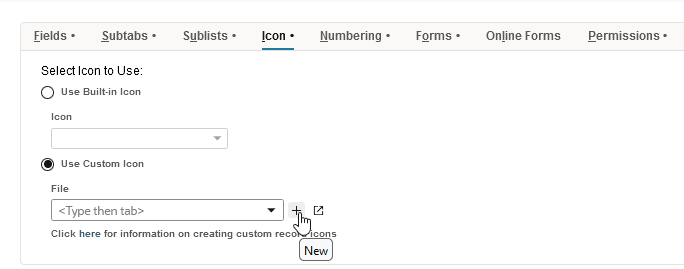
On the Icon subtab, select the Use Custom Icon option.
-
Click the New button next to the File field.
-
In the File popup window, select an icon image.
-
Click Save. Then save the custom record.
Important:Make sure your custom icons meet the requirements outlined in the following sections. Take the time to thoroughly read and understand the requirements, and test your icon. You should read these requirements thoroughly and give yourself enough time to test your icon. You'll need basic image-editing skills and software like Adobe Photoshop to create and edit your icons, and save as transparent PNG files.
Creating custom icons for custom records in NetSuite involves understanding version requirements, file specifications, and image construction techniques. For more details on each step and technical requirement, see the following topics: