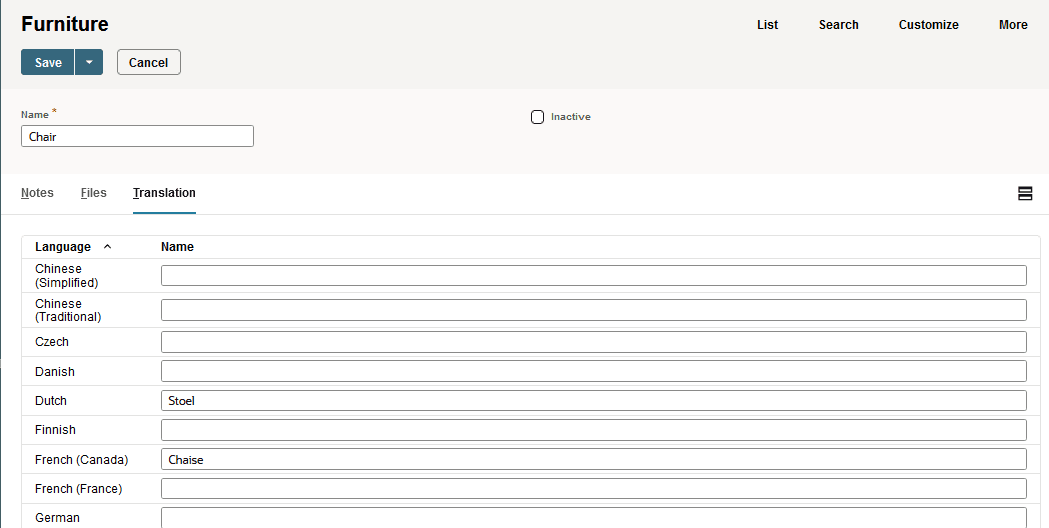
Translating Custom Record Instance Names
This topic describes how to translate custom record instance names. For an overview of translation options, see Adding Translations for Custom Records.
In addition to providing translations for the name of the custom record type itself, you can provide translations for individual instances of that record type. For example, in addition to providing the Spanish translation 'Muebles' for a custom record type named Furniture, you can provide translations for the individual instances of that record type, such as chair, table, bed.
To permit translation of custom record instance names, check the Enable Name Translation box for the custom record type. This option is disabled by default.
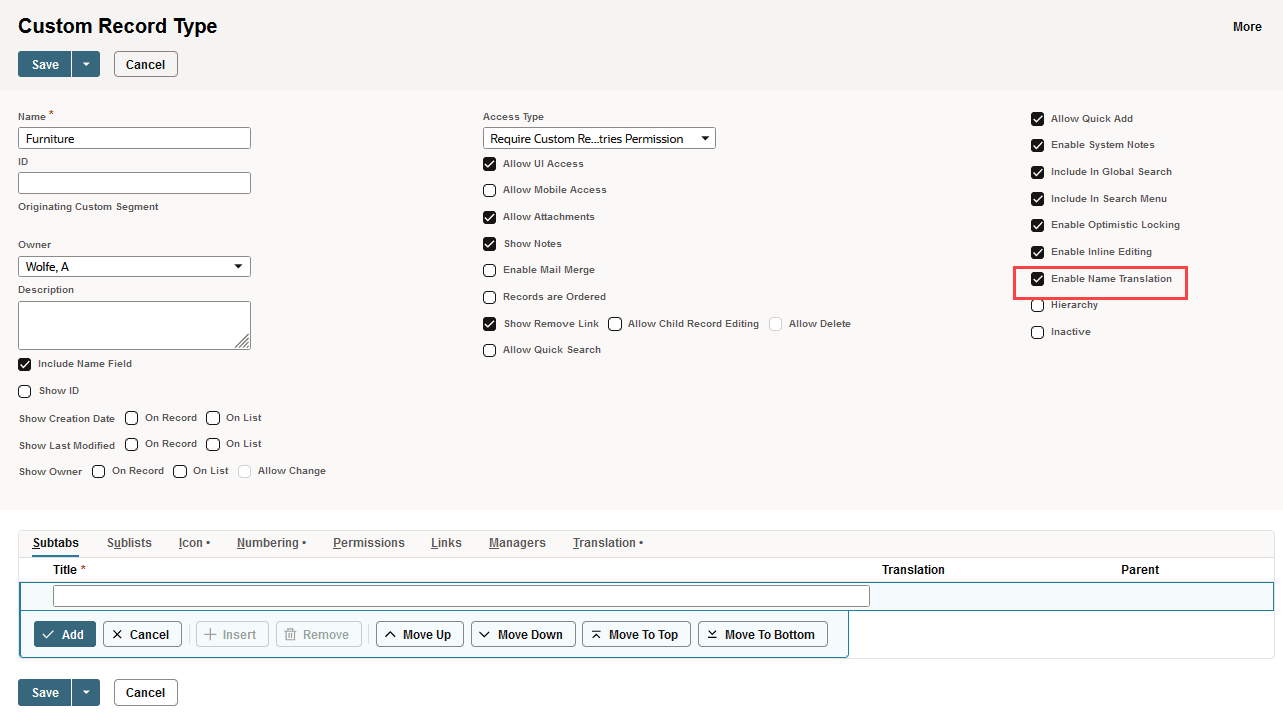
You can enable the Enable Name Translation option for a custom record type if all of the following are true:
-
The Multi-Language feature is enabled for the account.
-
The Include Name Field option is enabled for the custom record type.
-
Numbering isn't enabled for the custom record type. (The Enable box on the Numbering subtab isn't checked.)
When the Enable Name Translation box is checked for a custom record type, each custom record instance has a Translation subtab.
In addition, you can use the translated display name in saved searches to help users find custom record instances in their language preference. When setting up a saved search, add Display Name (Translated) and Language to the Results subtab, and add Language as a filter to the Criteria subtab. This way, the saved search results are filtered by the user's language preference