Generate SuiteScript Code from an Existing Prompt
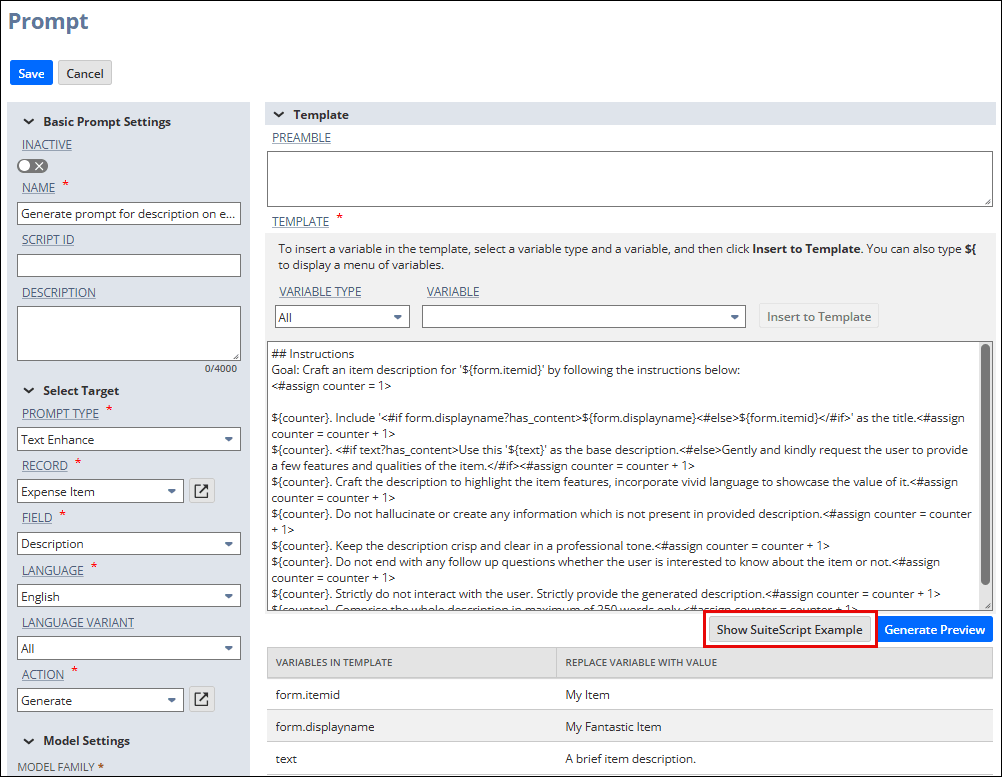
When viewing a prompt in Prompt Studio, you can generate a SuiteScript code sample that demonstrates how to work with the prompt. You can use the generated code sample directly in the SuiteScript 2.1 debugger. For more information, see Debugging SuiteScript 2.1 Scripts. You can also modify the sample and use it in your scripts.
To generate a code sample from a prompt, when viewing the prompt in Prompt Studio, click Show SuiteScript Example.
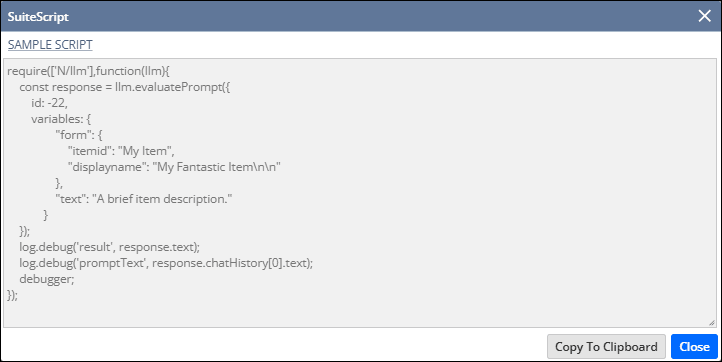
The generated code sample calls llm.executePrompt(options) (which is an alias of llm.evaluatePrompt(options)) with the prompt information as parameters. The code sample includes any required or optional variables that are used in the prompt's template. If you specified values for template variables in Prompt Studio, these values are populated in the code sample. You can also provide your own values when you run the sample, which can be useful for testing.