Using SDF and Copy to Account to Copy Customized Roles
You can use SuiteCloud Development Framework (SDF) to manage custom objects as part of file-based customization projects. For information about SDF, see SuiteCloud Development Framework.
You can use the Copy to Account feature to copy a customized role to another of your accounts. To copy a customized role, follow the instructions to edit a custom role, and click Copy to Account on the Role page.
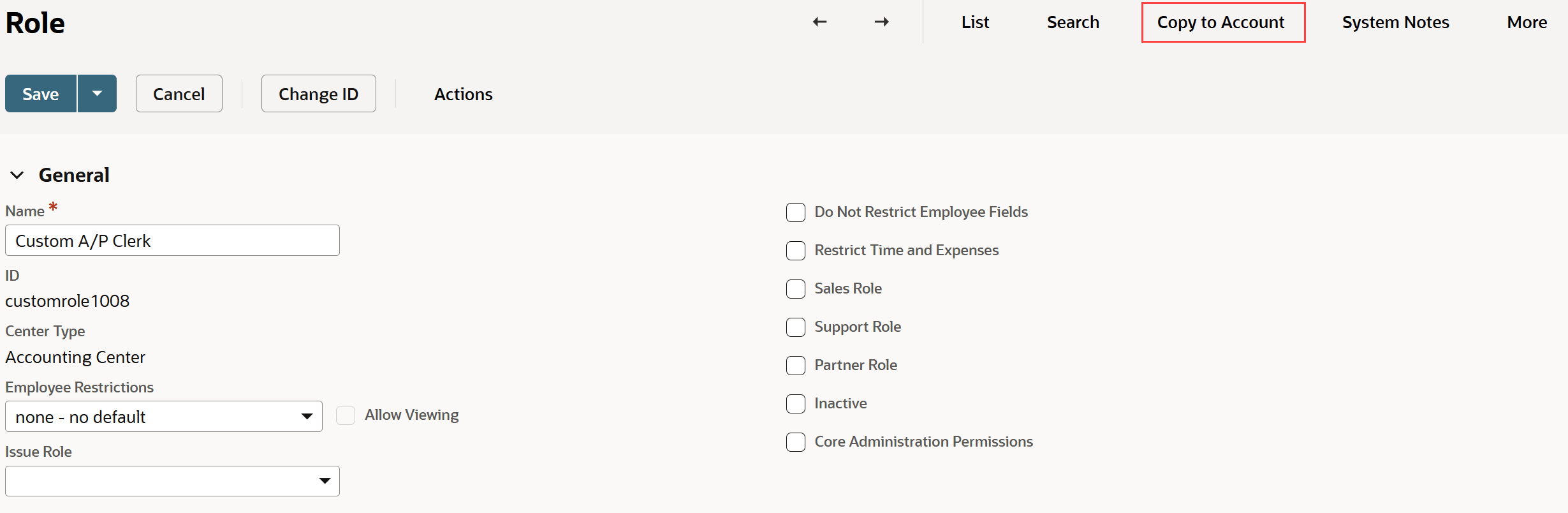
For information about Copy to Account, see Copy to Account.
Related Topics
- NetSuite Roles Overview
- NetSuite Account Administration
- Separate Administration Permissions
- Full Access Role (Deprecated)
- Permissions Requiring Two-Factor Authentication (2FA)
- Customizing or Creating NetSuite Roles
- Inactivating Roles
- Setting Default Forms for Roles
- Restricting Accounts for Roles
- Customizing the Customer Center Role
- Retail Clerk Roles
- Showing Role Permission Differences
- Use Searches to Audit Roles and Permissions
- Use Searches to Audit Roles
- Use Searches to Audit Permissions By Employee
- Mass Updating a Permission on Custom Roles
- Mass Updating the Role Assigned to Customers
- Standard Roles Permissions Table