Sandbox and Release Preview Email Preferences
Users with the Administrator role can set how email messages are routed from your sandbox and release preview accounts. Go to Setup > Company > Email > Email Preferences and click the Sandbox and Release Preview Email Preferences subtab.
You should choose the Send Email To option for both Sandbox and Release Preview accounts.
There are exceptions to your email routing rules. Security-sensitive email messages always go to the email address owner. For example, password reset email doesn't obey preferences that override routing rules.
Examples of security-sensitive email include:
-
Reset Password
-
Change Password
-
Change Email Address
-
Security Questions (Setup or Update)
-
Two-Factor Authentication Setup (one-time password)
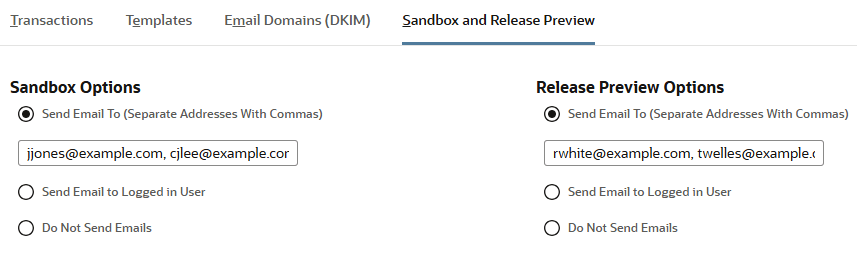
|
Option |
Description |
|---|---|
|
Send Email To (You should choose this option.) |
Choose this option to ensure email messages go to specific addresses.
|
|
Send Email to Logged In User |
Choose this option to send email messages to the user logged in to the NetSuite UI. If you select this option, be aware of the following:
|
|
Do Not Send Emails |
Choose this option if you don't want any email messages sent. |