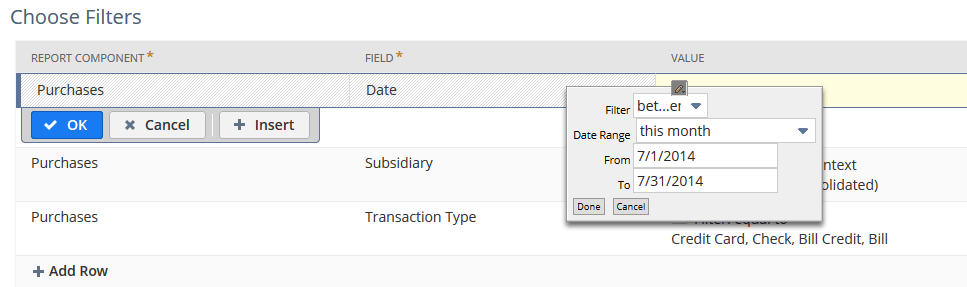
Changing the Default Date Range Filter
To change the default date range filter for a report, click the edit icon and complete the popup. You can click Preview to see results for the new date range, but the change doesn't apply to your customized report until you save it. The default date range for the standard report never changes. Only your customized version is updated.