Adding a Date Range Filter
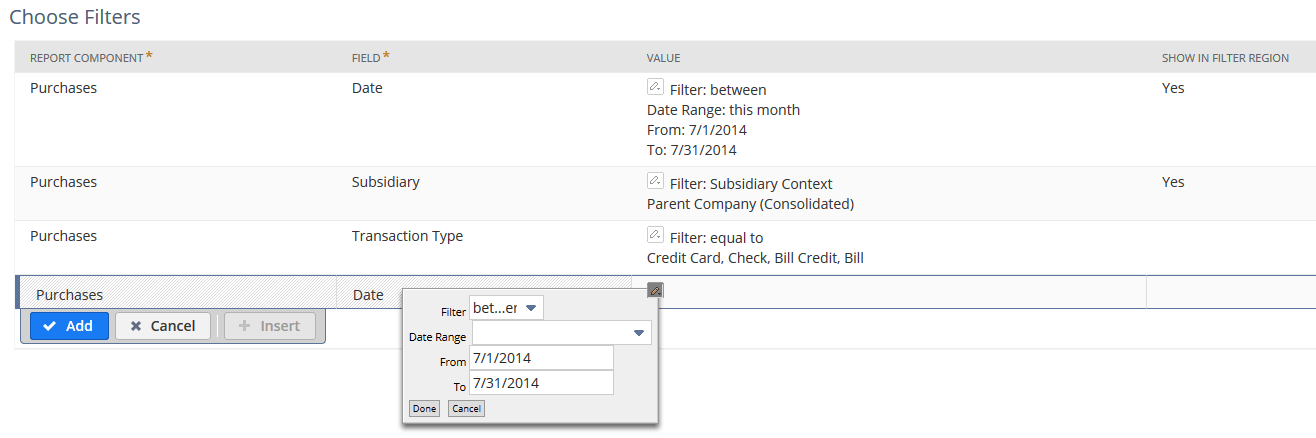
In addition to changing an existing date range filter, you also can add a new one by clicking a date field in the Add Fields pane. In the popup, select filter language, such as 'between' or 'before', and then choose a date range.
For example, the following date range filter for a customized Sales by Customer Report returns current monthly sales results for long-time customers: